Lab 4 — Microsoft Copilot Readiness
Understand where sensitive content exists across Microsoft 365 and how existing sharing permissions could increase risk before enabling Microsoft Copilot.
The Enterprise Tenant is populated with synthetic demo data that is refreshed over time. Counts, users, file names, dates, and incident examples in your tenant may not match the screenshots or the values quoted in this guide. Follow the same steps on whatever records are available — the fields and workflow are what matter.
1. Review the Microsoft Copilot Readiness Dashboard
Data Security → DSPM → Workflows
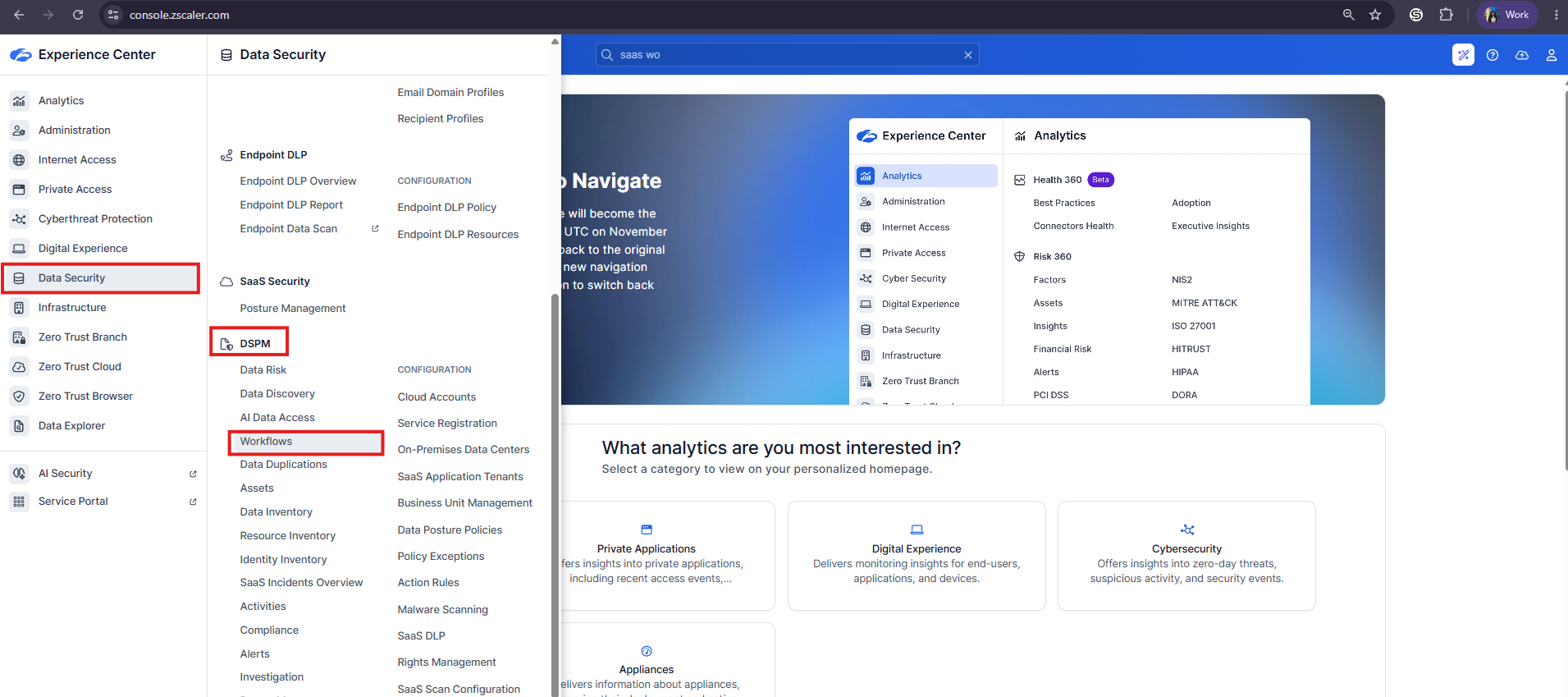
Open the menu (☰) and go to Data Security → DSPM → Workflows. You can also type saas wo in the Search menu bar to jump straight to it.
On the SaaS Workflows page, select the Microsoft Copilot Readiness Assessment tile.
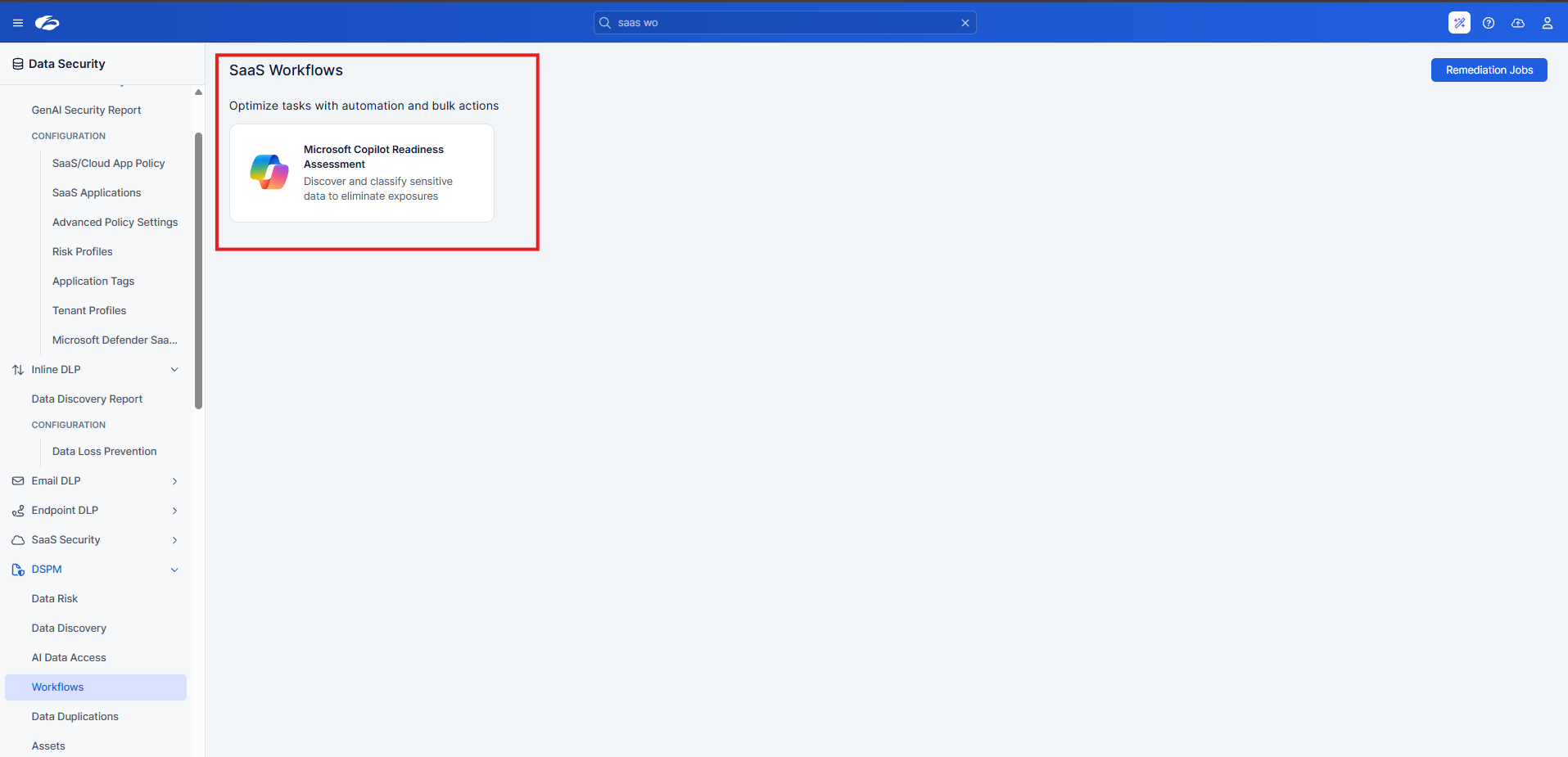
This is a read-only exercise. Review the data exposure posture only — do not run any of the remediation actions.
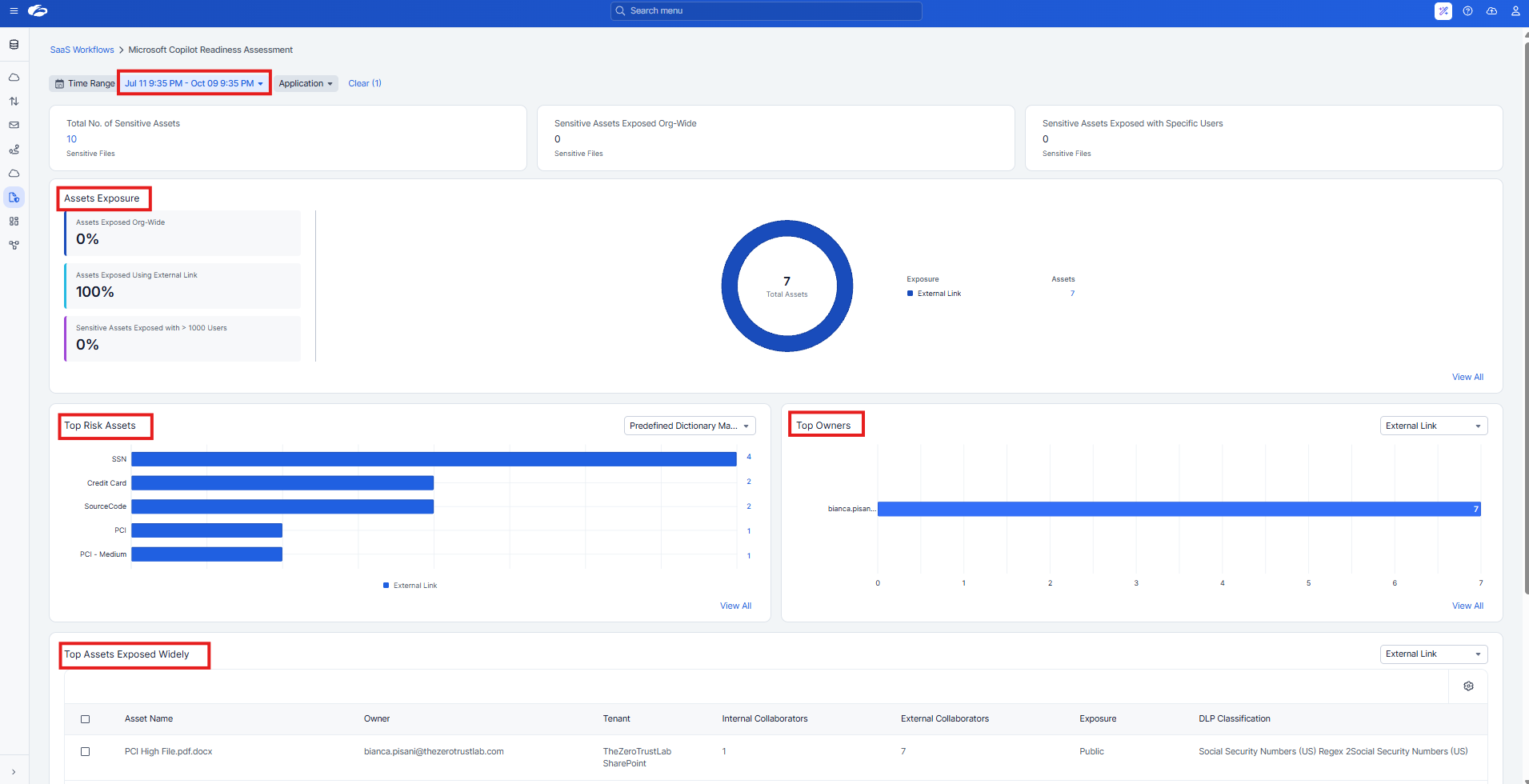
Check the Time Range filter, then review the dashboard top to bottom:
- Summary tiles — Total No. of Sensitive Assets, Sensitive Assets Exposed Org-Wide, Sensitive Assets Exposed with Specific Users
- Assets Exposure — Org-Wide, External Link, and > 1000 Users
- Top Risk Assets and Top Owners
- Top Assets Exposed Widely
In the Assets Exposure section, note which exposure category dominates. In the example every exposed asset is shared via External Link, with nothing org-wide — your tenant's synthetic data may show a different split, including org-wide exposure. The discussion below covers both cases.
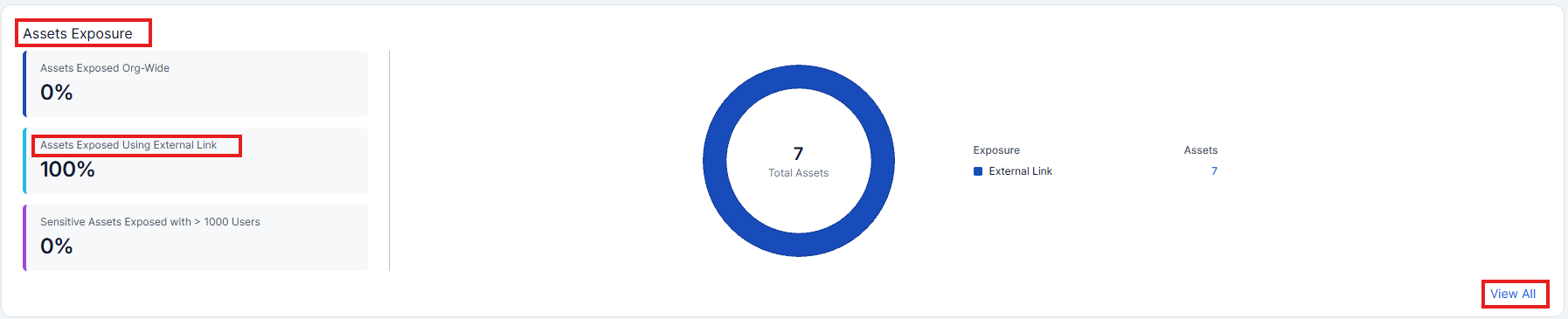
This is the key readiness signal. The broader the sharing, the greater the chance Copilot can retrieve and summarize sensitive content for unintended users.
2. Review All Exposed Sensitive Assets
Identify which specific files are exposed and understand what remediation actions may be needed before enabling Copilot.
In the Assets Exposure section, click View All. Review the Sensitive Assets list and focus on:
| Field | What to look for |
|---|---|
| Asset Name | Recognizable sensitive filenames (PCI, HIPAA, test documents, source code) |
| DLP Engine / DLP Classification | What sensitive data type was detected |
| Tenant | OneDrive vs. SharePoint |
| Exposure | Public / Org-Wide / External Link / Limited |
| Risk | Severity assigned to the asset |
| Internal / External Collaborators | How many users have access, and whether any are external |
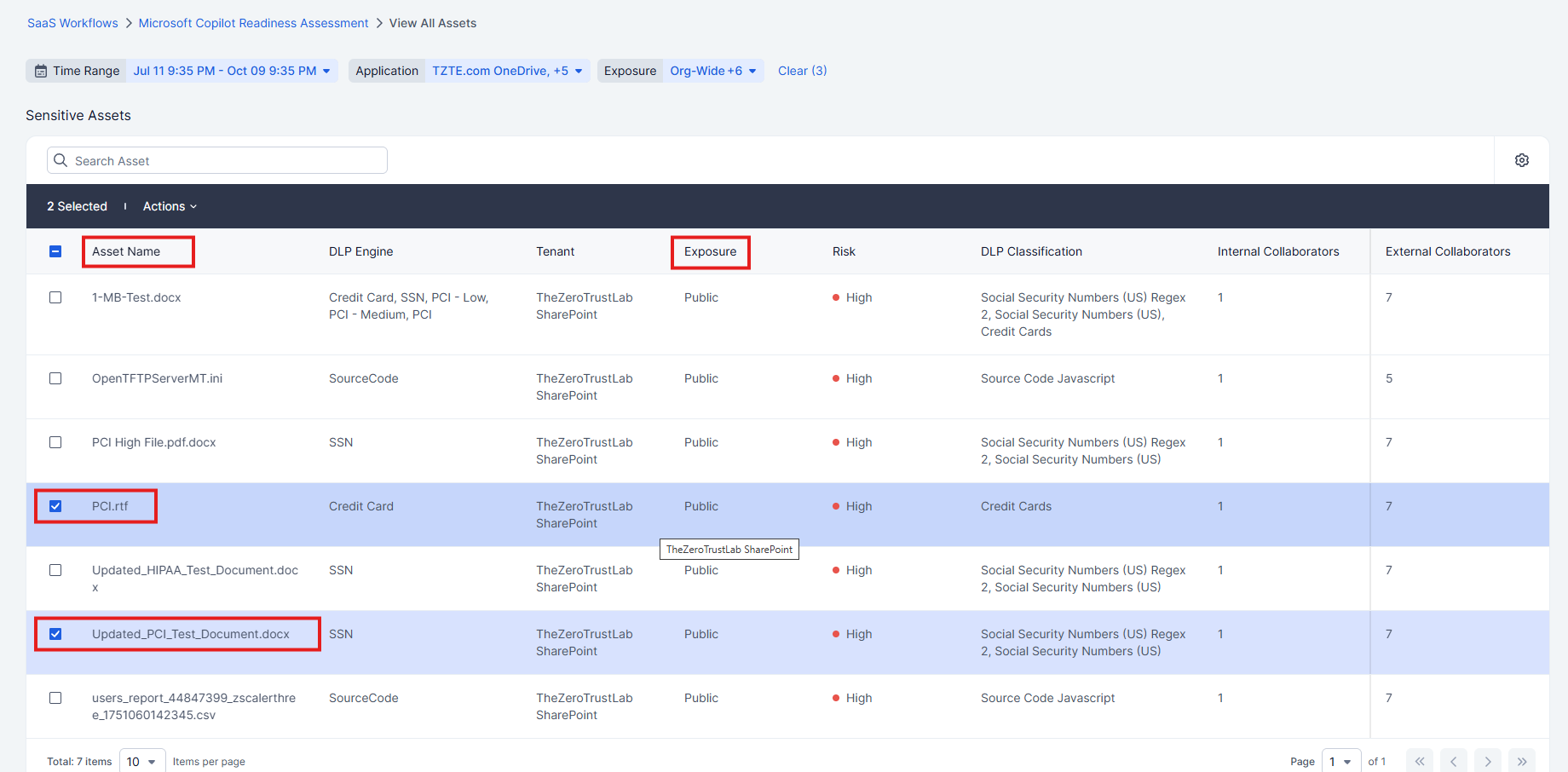
Select one or more assets and open the Actions menu to review the remediation options — Apply MIP labels, Quarantine to User Root Folder, Remove Internal/External Collaborators and Sharable Link, Remove Sharing, and Report Incident. Do not run them.
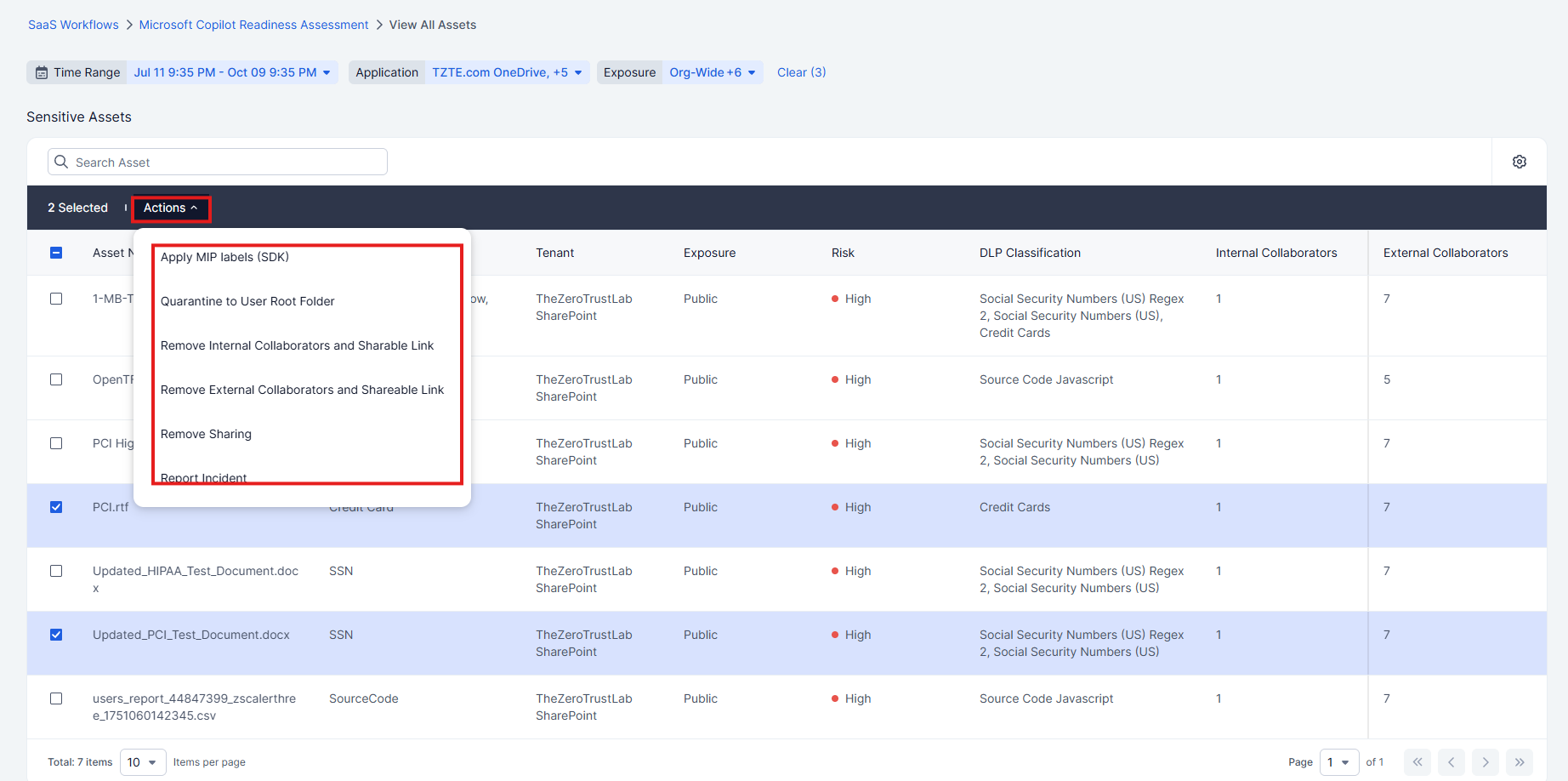
Readiness is not just about visibility. It is about reducing exposure before Copilot is deployed — and the remediation sits one click from the finding.
Navigate back to the dashboard by clicking Microsoft Copilot Readiness Assessment in the breadcrumb.

3. Investigate Top Risk Assets
Determine which sensitive data types represent the highest potential risk if Copilot is enabled.
In the Top Risk Assets widget, click the count next to the data type with the highest value (for example, SSN).
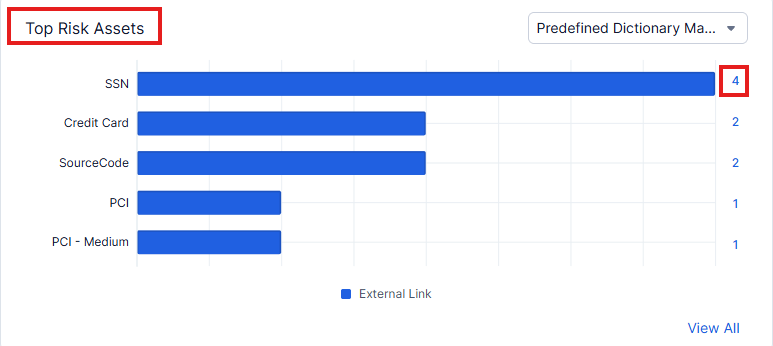
The drill-down links Applications → Owners → Assets for that data type. Identify:
- Where the files are stored (OneDrive or SharePoint)
- Who owns the files
- How many collaborators each asset has
- Which Actions are available for a selected asset
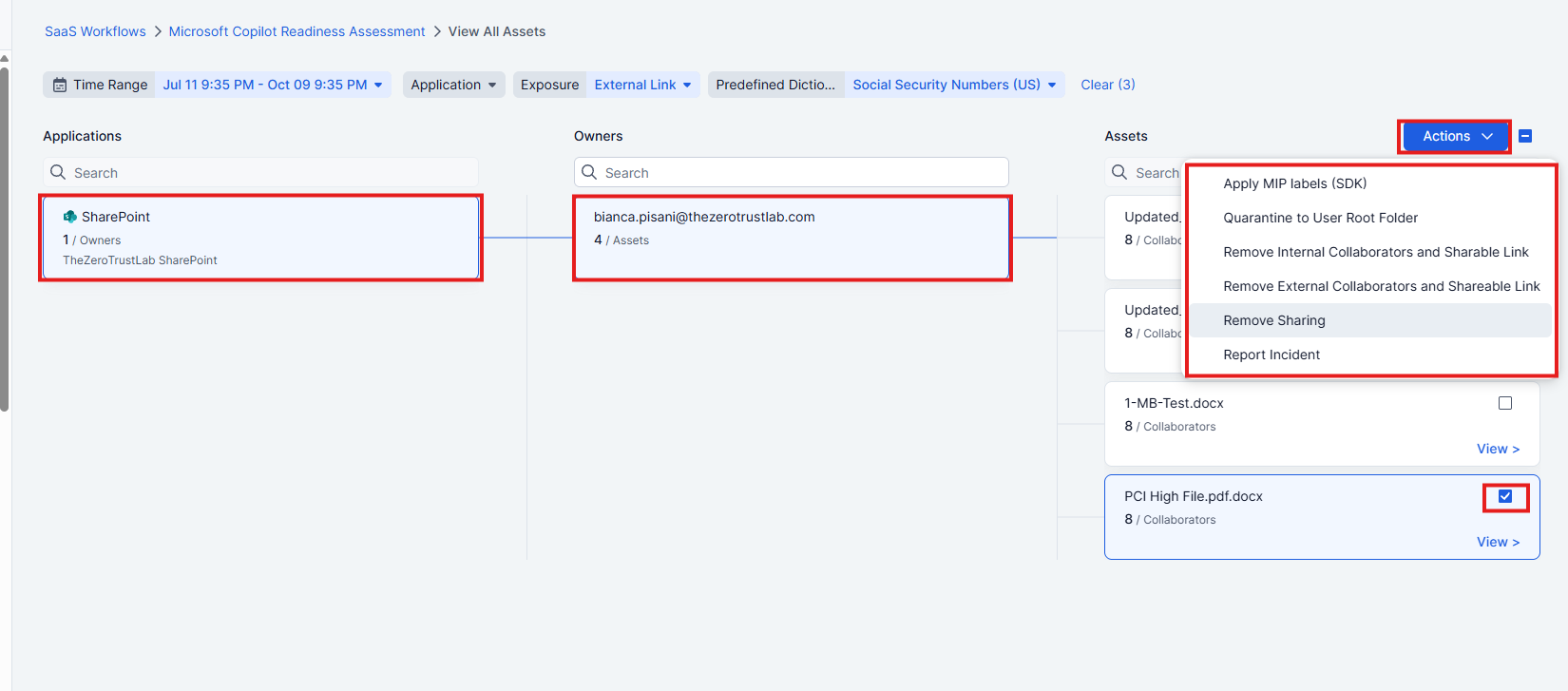
This moves security teams from high-level visibility into actionable investigation — not just "how many sensitive files exist" but "which specific files, owned by whom, shared how."
4. Review Top Owners of Exposed Sensitive Data
Identify which users own the largest amount of broadly exposed sensitive content.
Review the Top Owners widget. Use the exposure selector in its top-right corner — start with Org-Wide, then External Link. Observe which users are associated with the most exposed sensitive assets and consider whether the sharing pattern looks intentional, excessive, or risky.
5. Validate Copilot Readiness Risk
Connect sensitive data exposure to Copilot deployment risk.
Return to the dashboard and summarize the findings:
| Question | Your finding |
|---|---|
| How many sensitive assets were discovered? | |
| How many are exposed org-wide? | |
| Are any exposed through external links? | |
| Which data types appear most often? | |
| Which owners are associated with the highest risk? |
Discuss why this matters before enabling Microsoft Copilot:
- Copilot can index and retrieve content based on the user's existing access
- Broad sharing increases the chance of unintended data exposure
- Sensitive content should be reviewed and remediated before AI rollout
- If Copilot inherits existing permissions, what happens when sensitive files are shared org-wide?
- Which is the bigger risk in your environment: org-wide sharing or external links?
- Should every sensitive asset be relabeled, or should the first focus be on reducing broad access?
- What remediation steps should be completed before enabling Copilot for end users?
Copilot readiness starts with data access hygiene.
Microsoft Copilot will only be as secure as the permissions and sharing posture that already exist in Microsoft 365. Before deploying Copilot, security teams should identify sensitive content, understand how it is shared, and reduce unnecessary exposure.