Lab 3 – SaaS Security Posture & Third-Party Application Governance
Explore available filters, tabs, and drill-downs beyond the examples. The tenant uses synthetic demo data — dashboard values, control results, and application lists may not match the screenshots.
Task 1 — SaaS Security Posture Management (SSPM)
Step 1 — Navigate to the SSPM Portal
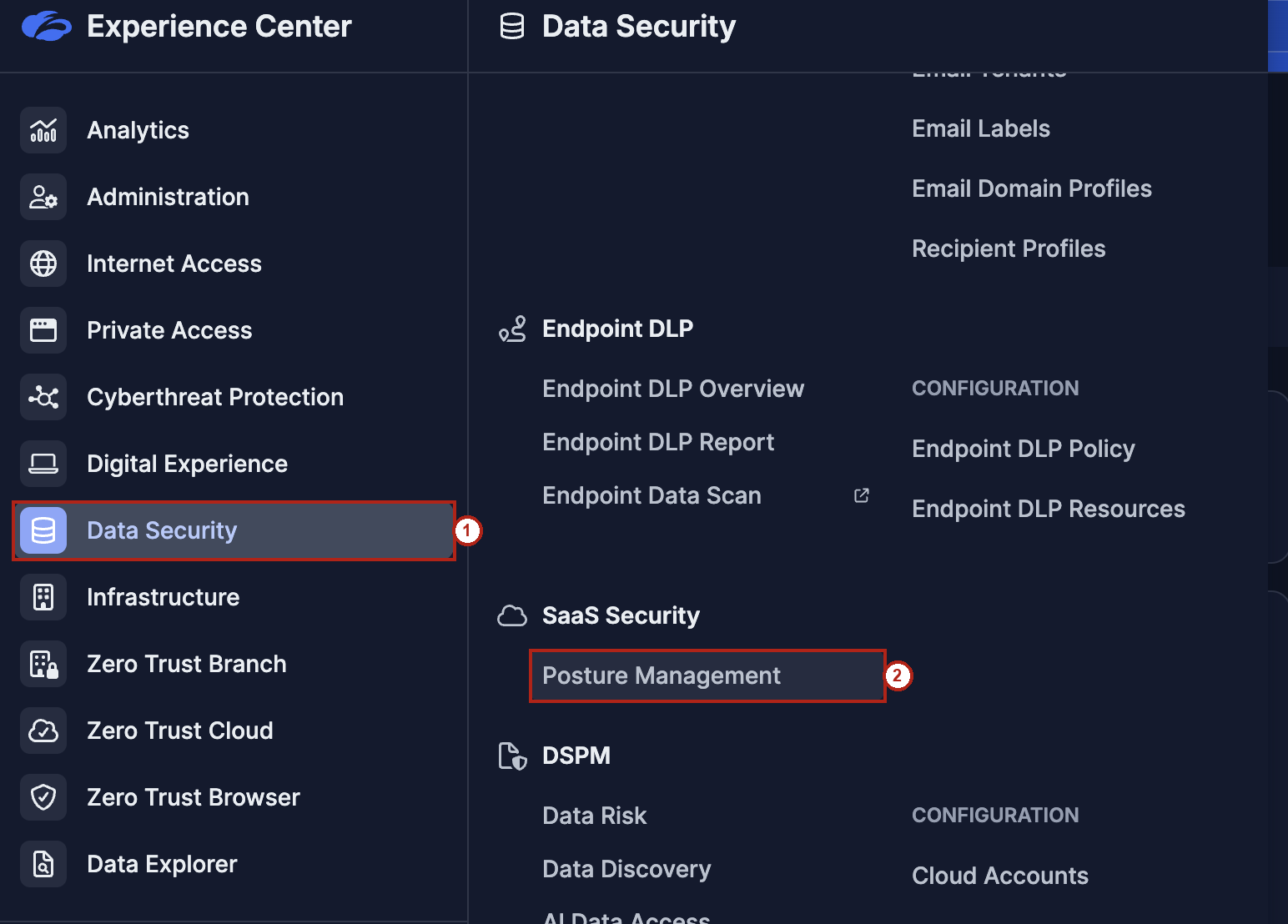
- Open the menu (☰), select Data Security, and scroll down to SaaS Security.
- Click Posture Management.
- The SSPM portal opens at
apptotal.zscaler.com. If a Posture Management ↗ link is shown instead, click it to launch the portal.
Step 2 — Review the SSPM Dashboard
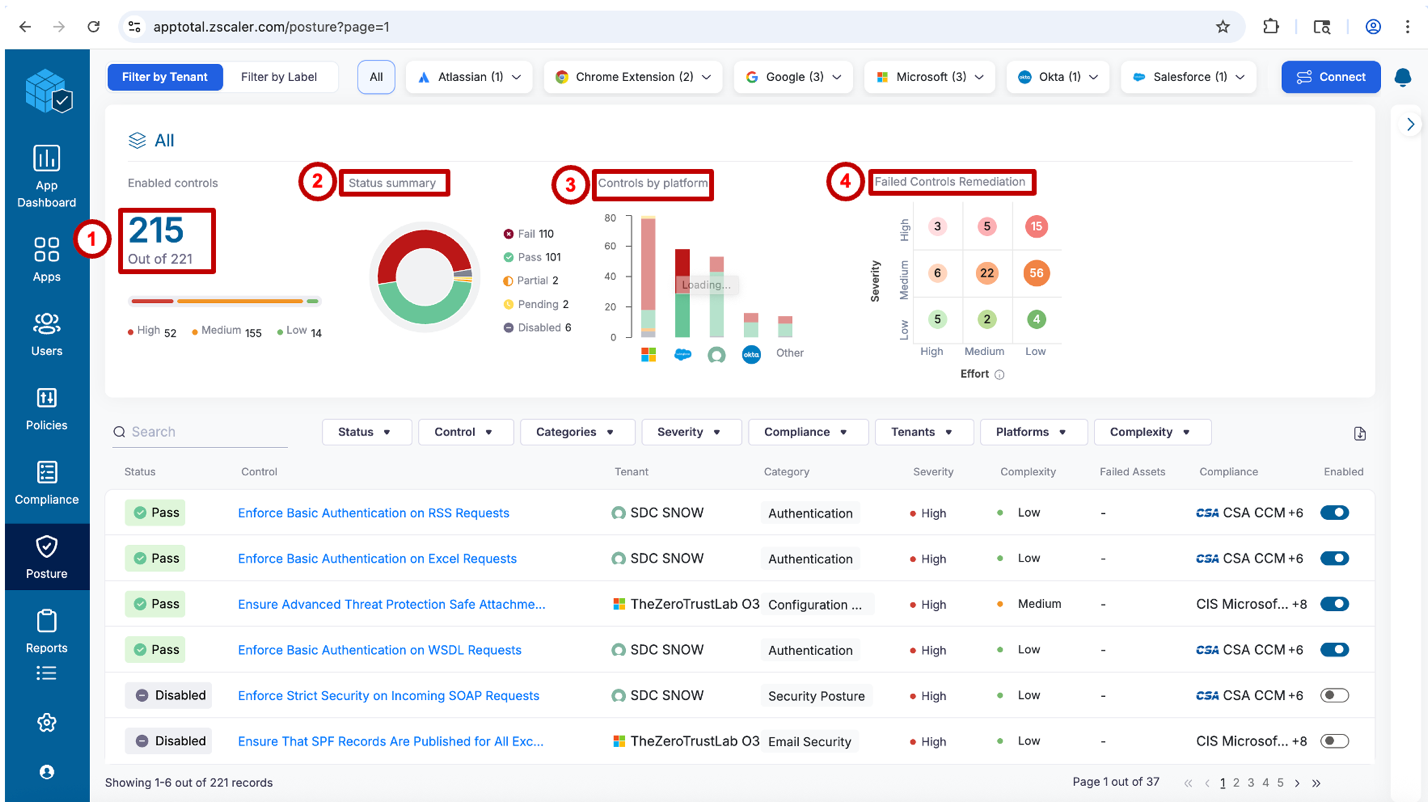
Review:
- Enabled Controls — active controls and severity breakdown.
- Status Summary — Fail, Pass, Partial, Pending, and Disabled.
- Controls by Platform — compare findings across SaaS platforms.
- Failed Controls Remediation Matrix — compare severity and remediation effort.
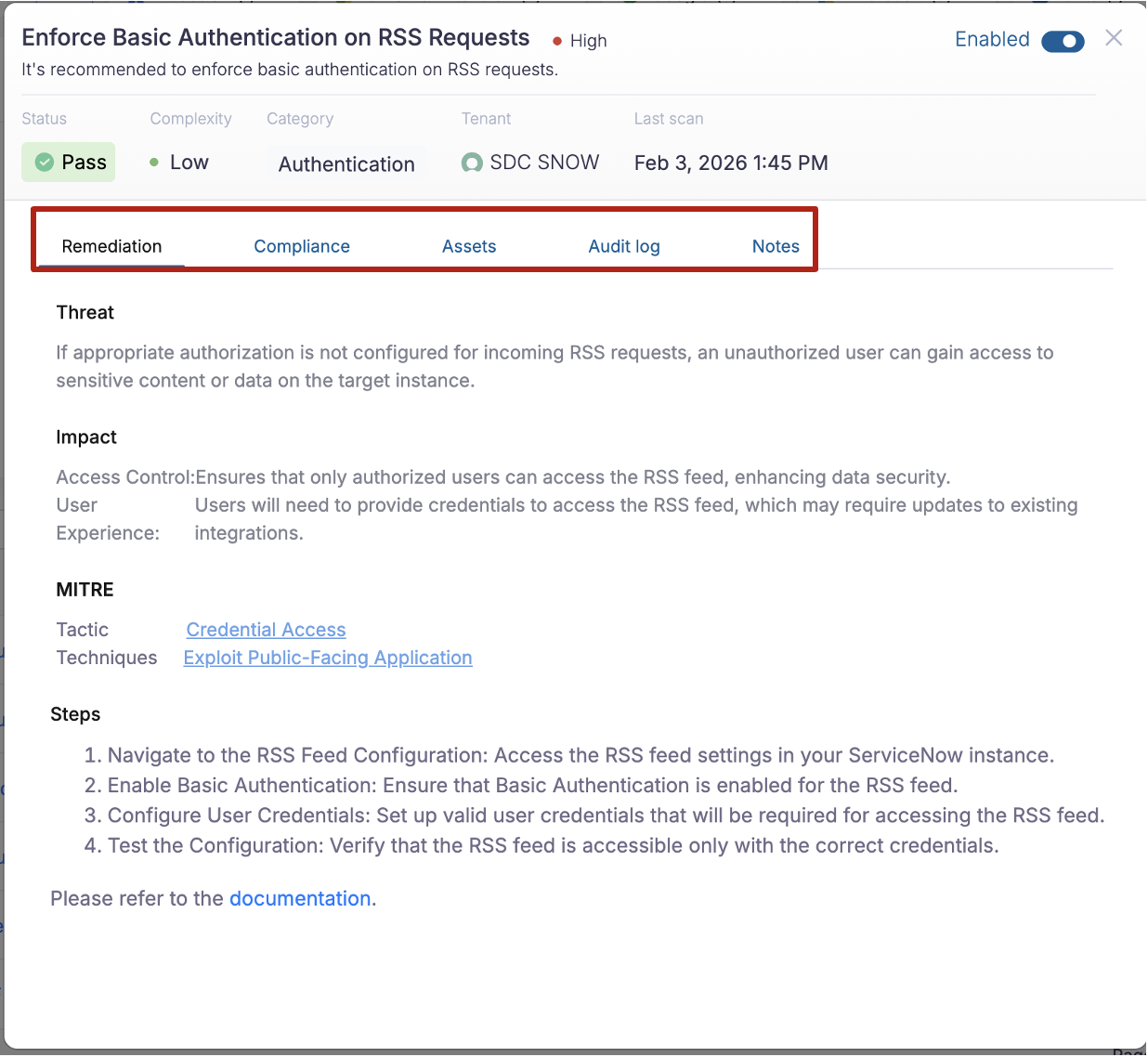
Select a control and explore Remediation, Compliance, Assets, Audit log, and Notes. Identify what failed, which assets are affected, and the recommended remediation.
Step 3 — Prioritize Failed Controls
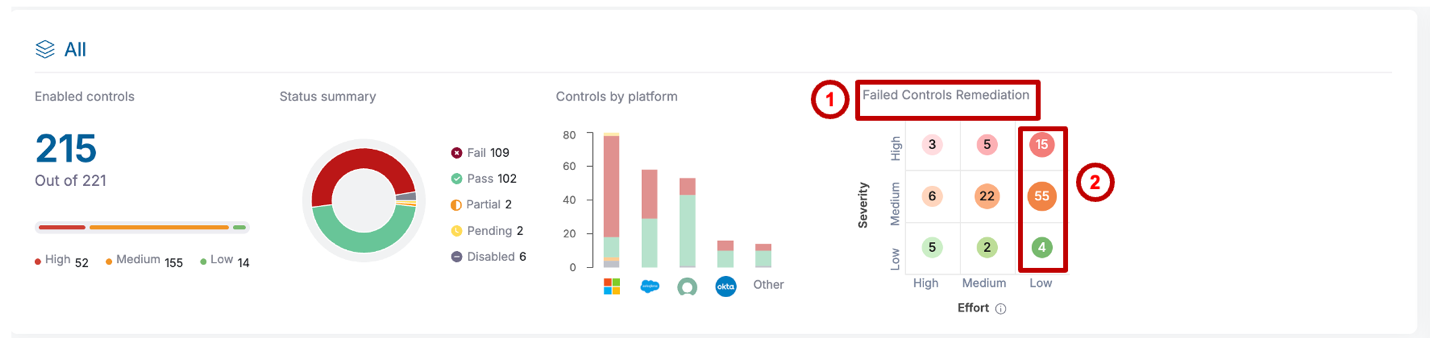
Review the Failed Controls Remediation Matrix. Start with High Severity / Low Effort findings, then compare other cells to understand the trade-off between risk and remediation effort.
Step 4 — Review Compliance Mapping
Select Compliance in the left navigation.
- Frameworks: expand a framework to review its controls and pass/fail results.
- Platforms: compare compliance findings across SaaS platforms.
- Review the mapping table's Framework, Control ID, Security Check count, Status, and Tenant.
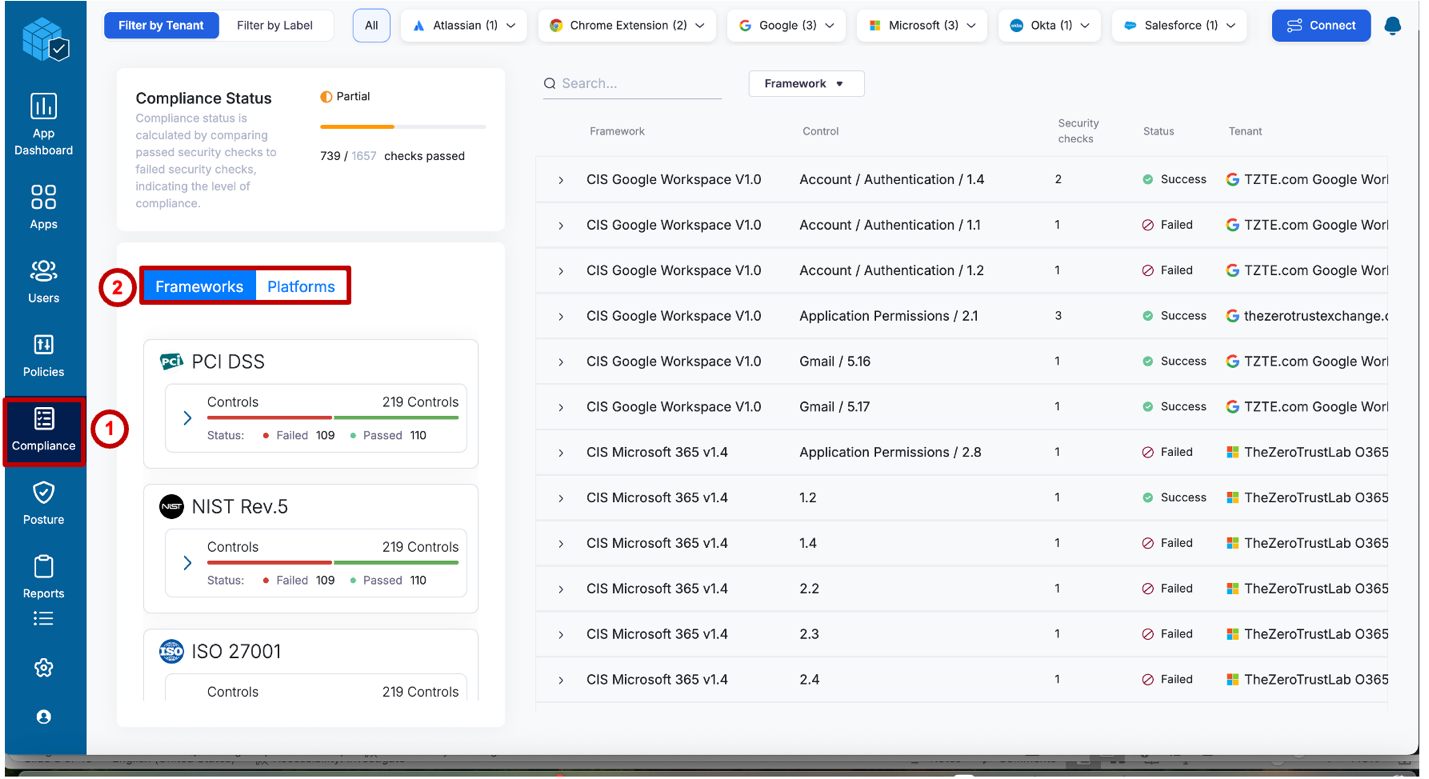
Consider which failed control would be most useful to address first, based on severity, effort, and compliance relevance.
Task 2 — Third-Party Application Governance
Step 5 — Review the App Dashboard
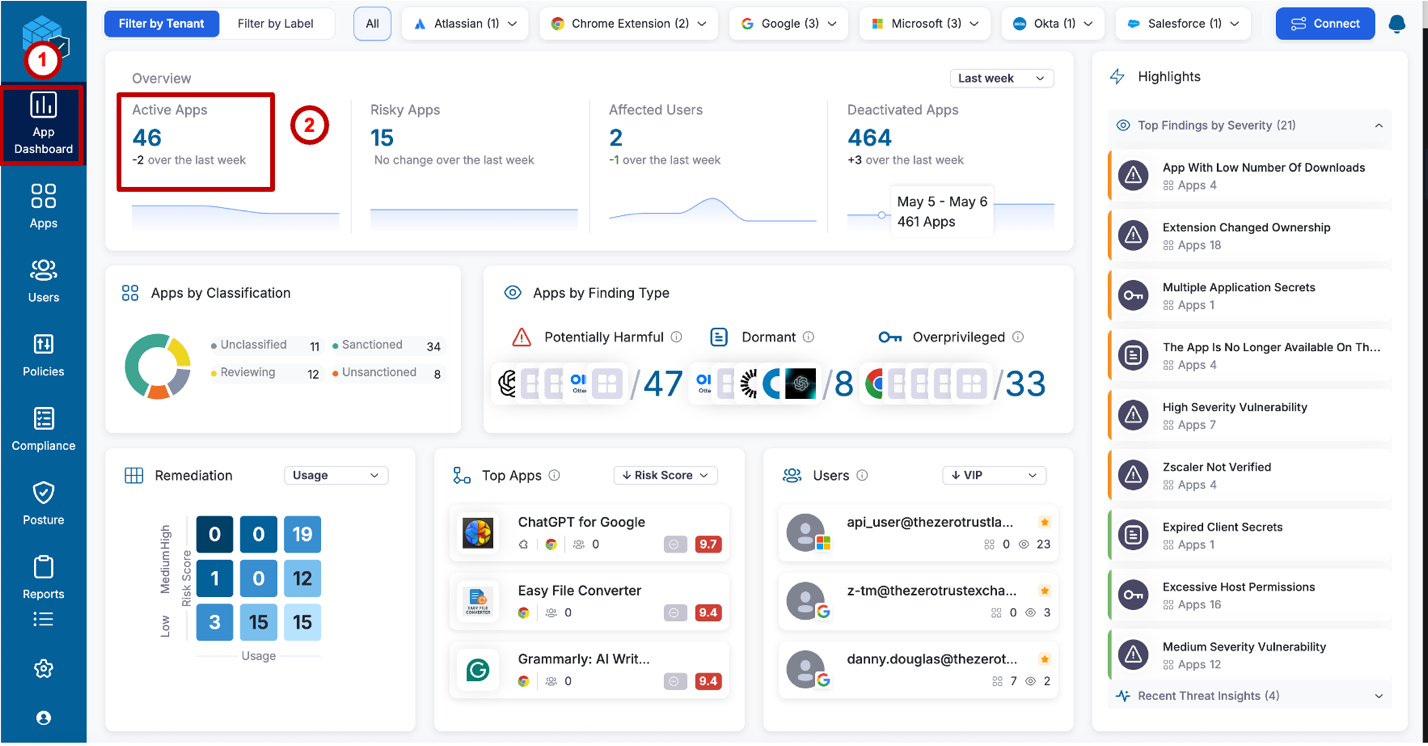
Select App Dashboard in the SSPM portal.
Review Active Apps, Risky Apps, Affected Users, and Deactivated Apps. Then explore:
- Apps by Classification — Sanctioned, Unsanctioned, Reviewing, and Unclassified.
- Apps by Finding Type — Potentially Harmful, Dormant, and Overprivileged.
- Top Apps by Risk Score and Highlights — identify apps worth investigating.
Step 6 — Review Active Apps and App Detail
Select Apps → Active Apps (App Status: Enabled). Compare each app's Publisher, Platform, Users, Risk Score, and Access Type.
Open any app from the list and review the tabs below. The screenshot uses Keeper® Password, which may no longer be active in your tenant. To find it, remove the App_Enabled filter (click its ×) so that inactive apps are listed too, then search again.
Review:
| Tab | What to examine |
|---|---|
| Overview | Classification, risk score, connection graph, and usage timeline |
| Access | Permission scopes and OAuth grants |
| Activities | Recent app activity |
| Details | Publisher, marketplace metadata, and findings |
| Notes | Existing review history |
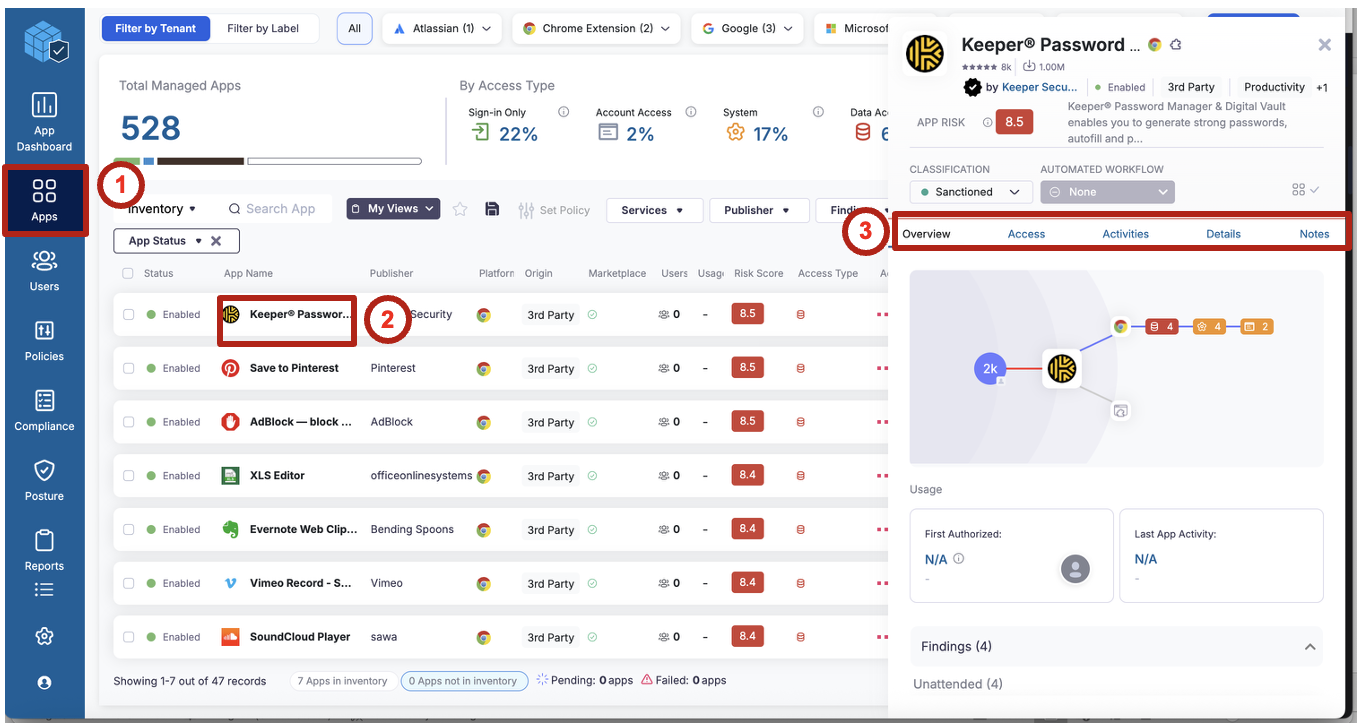
Compare the permissions granted with the app's business purpose. OAuth integrations can access SaaS data directly, making this an important view alongside inline traffic inspection.
Key Takeaways
- SSPM: identify SaaS misconfigurations and affected assets.
- Remediation and compliance: prioritize findings using severity, effort, and framework mappings.
- App Governance: review third-party permissions, activity, and risk.
What comes next: Lab 4 assesses Microsoft 365 sharing exposure ahead of a Copilot rollout.